Granite Speech 5.0 can run locally to turn supported-language audio into text. This tutorial focuses on IBM’s granite-speech-5.0-2b: download its weights, prepare a WAV file, run transcription, and request supported speech translation. We also explain how it differs from Whisper and Whisperfile.
Verification and testing, 22 October 2026: The Signal checked IBM’s announcement and model card, then ran the Python transcription example on a 10-second audio clip using a Linux CPU. This is a functional smoke test, not an accuracy benchmark or a GPU test. The same clip also completed an English-to-French translation run offline; details and limitations are below.
What is Granite Speech 5.0, and which model should you download?
The official 2B model card lists a release date of 20 October 2026; the IBM Granite team’s announcement was published on 21 October 2026. The Hugging Face repository creation timestamp is earlier and is not the announcement date. Use the exact model ID when following instructions.
| Model | Purpose | Important distinction |
|---|---|---|
ibm-granite/granite-speech-5.0-2b | Multilingual transcription and supported translation | The model used in this tutorial. |
ibm-granite/granite-speech-5.0-470m-turboctc | Fast CTC transcription | A different architecture and loading API; do not substitute its inference code. |
ibm-granite/granite-speech-4.1-2b-plus | Speaker-attributed transcripts and timestamps | An updated 4.1 model, not a 5.0 2B Plus release. |
For the 2B model, documented transcription languages are English, French, German, Spanish, Portuguese and Japanese. Translation connects English with the other five, with additional English-to-Italian and English-to-Mandarin output. Arabic and Tunisian Arabic are not listed as supported transcription languages. The weights are identified as Apache-2.0. Check the linked license before redistribution.
IBM reports improved recognition and robustness. Those are vendor evaluation claims. We have not reproduced its leaderboard results, measured word error rate, or established superiority over Whisper.
Prerequisites: software, RAM and CPU/GPU limitations
- Use a separate Python environment. Our smoke test used Python 3.12.14 on Linux x86-64, PyTorch 2.9.1+cpu and Transformers 5.20.2.
- Install FFmpeg if you need to convert MP3, video audio, stereo recordings or other sample rates. The example below accepts only mono 16 kHz WAV.
- The main
model.safetensorsfile is 4,626,528,224 bytes, about 4.63 GB, at the inspected revision. This is download size, not a minimum RAM or VRAM specification. - No universal minimum RAM/VRAM figure is established here. Inference also needs activations, buffers and runtime memory. A GPU used for training does not define the GPU needed for inference.
- Our CPU test used BF16 on a CPU exposing BF16 support, inside an 8 GiB memory-limited environment. This does not prove that every 8 GB laptop can run the same workload. Float32 weights require roughly twice the storage of BF16 weights, before runtime overhead.
For broader planning, see our guide to running AI on your own hardware. Start with a short clip before attempting long recordings.
1. Create an isolated Python environment
The commands below reproduce our Linux CPU package combination. They are not a CUDA installation recipe.
python3.12 -m venv .venv
source .venv/bin/activate
python -m pip install --upgrade pip
python -m pip install "torch==2.9.1" "torchaudio==2.9.1" --index-url https://download.pytorch.org/whl/cpu
python -m pip install "transformers==5.20.2" "huggingface_hub==2.2.0" "soundfile==0.14.0" "accelerate==1.15.0"
On Windows PowerShell, create the environment with py -3.12 -m venv .venv, then activate it with .\.venv\Scripts\Activate.ps1. Use python for the remaining commands. Windows has not been independently tested for this guide. For an NVIDIA GPU, choose a compatible CUDA build through the official PyTorch installation selector instead of the CPU wheel command.
2. Download the official model and sample audio
Save this as download_model.py and run python download_model.py. It uses the official Hugging Face snapshot download API. The pinned revision makes the example reproducible; newer revisions may change behavior. The filters select the model and processor files used by this example rather than every asset in the repository.
from huggingface_hub import snapshot_download

snapshot_download(
    repo_id="ibm-granite/granite-speech-5.0-2b",
    revision="f4e68169fa2a5751acc4b5da9957855e5e8fc3f1",
    local_dir="granite-model",
    allow_patterns=[
        "*.json", "*.jinja", "*.txt",
        "model.safetensors", "multilingual_sample.wav",
    ],
)
Internet access is needed for the initial package and model downloads. The inference script below uses local files only; audio is processed in your local Python process.
3. Prepare your audio file
If FFmpeg is installed, convert your recording as follows. This produces a separate file and leaves the source intact.
ffmpeg -i recording.mp3 -ac 1 -ar 16000 -c:a pcm_s16le audio-16k.wavFor the exact short clip used in our smoke test, save and run this Python snippet. It takes the first 10 seconds of IBM’s included sample; it is not a recording of the author.
import soundfile as sf

audio, sample_rate = sf.read(
    "granite-model/multilingual_sample.wav",
    dtype="float32",
    always_2d=True,
)
sf.write("granite-smoke-10s.wav", audio[:10 * sample_rate], sample_rate)
For this example, split recordings longer than two minutes before inference. IBM recommends segments of roughly two minutes or less; production segmentation should avoid cutting words and should preserve segment order. Speaker labeling and timestamp alignment require their own workflow.
4. Run Granite Speech 5.0 locally with Python
Save the following as granite_transcribe.py. It adapts the official Transformers example, adding file validation, an explicit device and precision choice, a local model path, and UTF-8 transcript output. SoundFile reads the WAV directly, avoiding a dependency on a separate TorchCodec decoder for this file format.
"""The Signal example, adapted from IBM's Apache-2.0 model-card usage."""
import argparse
import json
import time
from pathlib import Path

import soundfile as sf
import torch
from transformers import AutoModelForSpeechSeq2Seq, AutoProcessor


def main():
    parser = argparse.ArgumentParser()
    parser.add_argument("audio")
    parser.add_argument("--model", default="./granite-model")
    parser.add_argument("--device", choices=["cpu", "cuda"], default="cpu")
    parser.add_argument("--dtype", choices=["float32", "bfloat16"], default="float32")
    parser.add_argument("--prompt", default="transcribe the speech with proper punctuation and capitalization.")
    parser.add_argument("--max-new-tokens", type=int, default=256)
    parser.add_argument("--output", default="transcript.txt")
    args = parser.parse_args()
    if args.device == "cuda" and not torch.cuda.is_available():
        parser.error("CUDA is not available; use --device cpu or install a compatible CUDA PyTorch build.")
    wav, sr = sf.read(args.audio, dtype="float32", always_2d=True)
    if sr != 16000 or wav.shape[1] != 1:
        parser.error("Input must be mono 16 kHz WAV. Convert it before running this script.")
    if len(wav) / sr > 120:
        parser.error("Split audio into segments of at most 120 seconds for this example.")
    started = time.perf_counter()
    dtype = getattr(torch, args.dtype)
    processor = AutoProcessor.from_pretrained(args.model, local_files_only=True)
    model = AutoModelForSpeechSeq2Seq.from_pretrained(
        args.model, device_map=args.device, dtype=dtype, local_files_only=True
    ).eval()
    load_seconds = time.perf_counter() - started
    prompt = processor.tokenizer.apply_chat_template(
        [{"role": "user", "content": "<|audio|>" + args.prompt}],
        tokenize=False, add_generation_prompt=True,
    )
    inputs = processor(prompt, torch.from_numpy(wav.T.copy()),
                       device=args.device, return_tensors="pt").to(args.device)
    started = time.perf_counter()
    with torch.inference_mode():
        outputs = model.generate(**inputs, max_new_tokens=args.max_new_tokens,
                                 do_sample=False, num_beams=1)
    seconds = time.perf_counter() - started
    generated = outputs[0, inputs["input_ids"].shape[-1]:]
    text = processor.tokenizer.decode(generated, skip_special_tokens=True).strip()
    Path(args.output).write_text(text + "\n", encoding="utf-8")
    print(json.dumps({"device": args.device, "dtype": args.dtype,
                      "audio_seconds": len(wav) / sr, "load_seconds": load_seconds,
                      "generation_seconds": seconds, "text": text,
                      "torch": torch.__version__, "transformers": __import__("transformers").__version__},
                     ensure_ascii=False), flush=True)
    if len(generated) >= args.max_new_tokens:
        print("WARNING: Token limit reached; inspect output for truncation.", flush=True)


if __name__ == "__main__":
    main()
CPU smoke-test command
OMP_NUM_THREADS=4 MKL_NUM_THREADS=4 python granite_transcribe.py granite-smoke-10s.wav --device cpu --dtype bfloat16 --max-new-tokens 96 --output transcript.txtThe environment-variable prefix is for Bash. In PowerShell, set the variables separately or omit them. BF16 operation support varies by CPU and PyTorch build. If you encounter unsupported BF16 operations, try --dtype float32 only when sufficient RAM is available; this increases memory use. The script defaults to float32 so precision is an explicit choice in the tested command.
Use your own file or a compatible GPU
python granite_transcribe.py audio-16k.wav --device cpu --dtype float32 --output my-transcript.txt
python granite_transcribe.py audio-16k.wav --device cuda --dtype bfloat16 --output my-transcript.txt
The GPU command is an untested adaptation for a CUDA/BF16-capable device with a compatible PyTorch build. It is not a verified VRAM requirement. If output ends prematurely or the script warns about its token limit, split the audio or increase --max-new-tokens within available resources.
5. Translate speech only in supported directions
Translation here produces written text, not synthesized speech. For English input, the same script can request French output:
python granite_transcribe.py granite-smoke-10s.wav --device cpu --dtype bfloat16 --prompt "translate the speech to French with proper punctuation and capitalization." --output translation-fr.txtFor French input to English text, use --prompt "translate the speech to English.". Do not infer arbitrary language pairs from the word multilingual. Italian and Mandarin are additional English-to-text translation targets, not additional supported ASR input languages in the 2B card.
What The Signal actually tested
On 22 October 2026, a Linux x86-64 CPU run used Python 3.12.14, torch/torchaudio 2.9.1+cpu, Transformers 5.20.2, BF16, four OpenMP/MKL threads, and model revision f4e68169fa2a5751acc4b5da9957855e5e8fc3f1. Input was the first 10 seconds of multilingual_sample.wav, saved as a mono 16 kHz WAV. Transcription completed and began: “For Timothy was a spoiled cat, and he allowed no one to interfere.” Generation took about 8.05 seconds in that single run, excluding model load and downloads. An English-to-French run also completed with HF_HUB_OFFLINE=1, beginning “Timothy était un chat gâté…”; generation took about 10.76 seconds. The clip ends mid-sentence, so these are not complete-sentence quality tests. These timings are observations from this container, not expected laptop speeds. We did not score the translation against a reference.
We did not run a representative evaluation set, compare identical recordings against Whisper, test GPU memory, or measure long-recording reliability. The results below establish that this particular setup completed short-file inference; they do not establish general accuracy or production throughput.
Other official inference routes
The model card also documents vLLM, llama.cpp and mlx-audio. These are alternatives to the Python walkthrough, not extra packages required by it. Use the linked official instructions for each runtime.
| Route | When to consider it | Verification status here |
|---|---|---|
| Transformers | A Python script with explicit prompts and file handling | Short CPU transcription and English-to-French translation tested. |
| vLLM | A served or batched inference deployment | Documented by IBM; not independently run here. |
| Official GGUF with llama.cpp | A quantized runtime, including local CPU use | IBM recommends Q8_0; include the audio projector as required by the runtime. No independent GGUF test here. |
| mlx-audio | Apple Silicon | IBM specifies mlx-audio 0.5.9 or later plus jinja2. Not tested on a Mac here. |
The IBM Granite Speech examples repository is useful for research notebooks, but its main README still contains older 3.3 examples at this check. For 5.0 2B, follow its exact model card instead of copying older model IDs or adapter flags.
Troubleshooting installation and transcription
| Symptom | What to check | Concrete next step |
|---|---|---|
| Import error or undefined symbol in torchaudio | Incompatible torch/torchaudio wheels | Use matching versions and the same CPU/CUDA package channel in a clean environment. We used 2.9.1+cpu for both. |
| Unsupported model type or missing auto-model class | Wrong package version or wrong Granite variant | Confirm the exact model ID and retry the pinned Transformers environment above. |
| Missing TorchCodec / FFmpeg decoding backend | Audio decoding path | Use the SoundFile WAV loader in this example; convert other formats with FFmpeg first. |
| Sample-rate or channel validation error | The file must actually be mono at 16 kHz | Run the conversion command; do not merely change the filename or metadata. |
| Out of memory | Precision, clip duration and other running processes | Try a shorter clip and close other workloads. Choose an appropriate documented quantized runtime if necessary. |
| Unexpected translation instead of transcription | The prompt and input language | Use a documented transcription prompt; the model card also provides language-ID prompts. |
| Repeated or incomplete text | Audio quality and generation limit | Inspect the recording, segment it and review the token-limit warning before accepting the transcript. |
| Download blocked by a proxy | Proxy configuration and optional dependencies | Our environment required socksio for its SOCKS proxy. That was an environment-specific fix, not a Granite requirement. |
Granite Speech 5.0 vs Whisper and Whisperfile
Choose a model and a runtime separately. Whisper is OpenAI’s speech model family; Whisperfile packages whisper.cpp for portable local execution. Whisperfile does not load Granite weights.
| Question | Granite Speech 5.0 2B | Whisper / Whisperfile |
|---|---|---|
| Transcription language coverage | Six documented ASR languages; Arabic not listed | Multilingual Whisper has broader coverage, including Arabic; assess your dialect on representative audio. |
| Translation direction | Documented English-centered directions, including English to French | Whisper’s translation task targets English. Whisper turbo is not trained for translation. |
| Deployment | Python and other documented runtimes; model downloaded separately | Whisper Python or a whisper.cpp-based runtime such as Whisperfile. |
| License | Apache-2.0 model | Whisper code and weights: MIT. Whisperfile packaging has its own licensing notices. |
| Which is more accurate? | No independent winner established here | Compare the exact models on the same recordings and scoring method. |
If your goal is a portable Whisper setup, continue with our llamafile and Whisperfile download guide. For a fair comparison, keep the audio, language, segmentation and text normalization fixed. Record runtime versions, precision, elapsed time and errors against a human-checked reference. Avoid treating differently configured leaderboard numbers as a universal winner.
FAQ
Is granite-speech-5.0-2b a real released model?
Yes. It is available in IBM Granite’s Hugging Face organization. Its card lists 20 October 2026 as the release date; IBM’s team announcement is dated 21 October.
Can Granite Speech 5.0 run without a GPU?
Yes: our short BF16 inference test completed on a Linux CPU. That result does not establish a universal minimum RAM requirement or acceptable speed on other CPUs.
Does it support Arabic or Tunisian Darija?
They are not in the 2B model’s documented ASR language list. For those recordings, evaluate an explicitly multilingual alternative rather than treating unsupported output as reliable.
Does 5.0 2B provide speaker labels and word timestamps?
Do not assume those features from the family announcement. IBM identifies the separate 4.1 2B Plus model for speaker attribution and timestamp use cases.
Can I use it commercially and offline?
The model is identified as Apache-2.0; follow its license terms. The local-only inference script runs from downloaded files, after the initial software and weights download. No hosted inference account is used.
Sources and reproducibility
- IBM Granite team announcement, 21 October 2026
- Granite Speech 5.0 2B model card and usage examples
- Inspected model configuration at the pinned revision
- Official IBM examples and notebooks
- Transformers GraniteSpeech documentation
- Hugging Face download API
- Whisper official README and license
- Mozilla.ai Whisperfile documentation
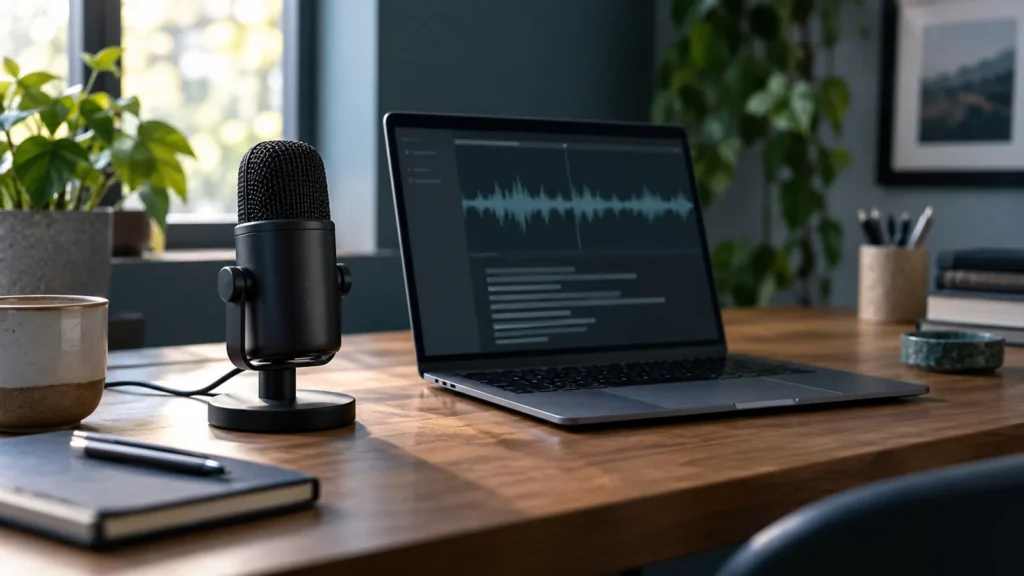
Editorial image: AI-generated illustration created for The Signal. It is not an IBM asset or a screenshot of the test. This article was prepared with AI assistance, with source checks and the explicitly described local test; see our AI disclosure.