LTX Video is Lightricks’ open video-generation family, and the project now points to LTX-2 as its main development direction. LTX-2 expands the stack from silent video generation into a broader audio-video system with synchronized generation, control models, keyframes, LoRA support and ComfyUI integration.
For users building local AI video workflows, the important question is not just image quality. It is whether the model can be controlled, integrated and reproduced inside a practical pipeline.
What is LTX Video?
LTX-Video is the official open repository from Lightricks for its video-generation models. The current project README highlights LTX-2 as the next-generation line and the primary home for ongoing LTX development.
What is LTX-2?
The official ComfyUI documentation describes LTX-2 as a 19B-parameter DiT-based audio-video foundation model. It can generate synchronized motion and audio together, including dialogue, sound effects and music.
The current feature set includes:
- text-to-video;
- image-to-video;
- video-to-video;
- synchronized audio-video generation;
- multiple keyframes;
- IC-LoRA control models;
- standard LoRA support;
- spatial and temporal upscaling;
- prompt enhancement;
- ComfyUI integration.
Synchronized audio and video
Most earlier open video workflows generate a silent clip and add audio in a second system. LTX-2 changes that design by producing video and audio together.
This matters for shots where timing is important: speech, sound effects, impacts, footsteps or musical beats can be generated as part of the same temporal process rather than loosely matched afterward.
Text-to-video
Text-to-video uses a prompt as the primary condition. It offers the most freedom but also asks the model to decide composition, identity, motion and timing from text.
For production, prompt structure, shot length and camera instructions still need disciplined testing. A cinematic prompt is not a substitute for a reproducible workflow.
Image-to-video
Image-to-video anchors the output to a source image. This is valuable for product shots, characters and art-directed scenes where the first frame has already been created or approved.
In ComfyUI, the source image becomes one branch of the conditioning graph, which can then be combined with text and additional controls.
Multiple keyframes
LTX-2 supports keyframe-driven generation. Instead of asking the model to invent the whole trajectory from one frame, multiple images can guide different points in the sequence.
This can improve control over transitions, camera paths and scene evolution, although consistency still needs to be tested for the exact workflow and shot.
IC-LoRA controls
Current ComfyUI LTX-2 workflows include IC-LoRA controls for signals such as Canny, Depth and Pose. These controls provide additional structure beyond the text prompt.
That makes LTX-2 useful for pipelines where motion or composition needs to follow an existing reference rather than be generated freely.
Standard LoRAs
Lightricks also provides LoRA support and training tools. LoRAs can be used to adapt style, subject appearance or specialized behavior without retraining the full base model.
Native upscaling
The official ComfyUI documentation lists both spatial and temporal 2× upscalers for LTX-2. Spatial upscaling increases resolution; temporal upscaling increases frame density/FPS.
This suggests a practical workflow pattern: generate at a model-friendly base setting first, then upscale in dedicated stages instead of forcing the most expensive output settings into the initial generation.
LTX-2 and ComfyUI
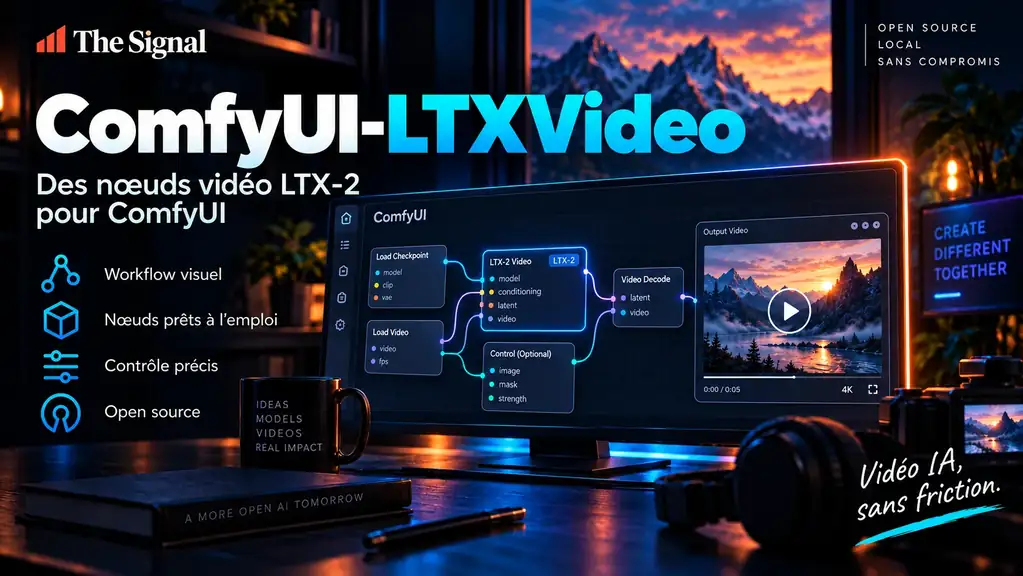
ComfyUI is a major part of the LTX ecosystem. The official LTX repository notes core ComfyUI integration, while Lightricks also maintains additional node tooling and example workflows.
See our detailed profile: ComfyUI-LTXVideo: Lightricks’ Extra Nodes for LTX-2 Video.
Hardware requirements
A 19B audio-video model is not lightweight. Real requirements depend on the checkpoint, precision, offloading strategy, frame count and resolution.
Do not copy one VRAM number from a benchmark and treat it as universal. Validate the exact workflow you plan to run, especially when custom nodes, upscalers or multiple control models are loaded at the same time.
LTX vs other open video models
LTX-2 stands out for its integrated audio/video direction and control ecosystem. Other families have different strengths:
- Wan: broad open video suite with text-to-video, image-to-video and multiple specialized tasks.
- HunyuanVideo: strong open model family with Diffusers and ComfyUI support.
- VideoCrafter: research-oriented toolbox useful for reproducible T2V/I2V experimentation.
Compare the complete workflow, not only showcase clips.
Where LTX-2 fits
LTX-2 is especially interesting for users who want a local/open workflow with synchronized audio, multiple conditioning modes and strong ComfyUI integration. It is less attractive if your hardware cannot support the model comfortably or if a hosted service already satisfies the use case with lower operational complexity.