
Open-source AI video generators are moving from research demos into usable production workflows. The category now includes text-to-video, image-to-video, multimodal conditioning, keyframe control, local ComfyUI pipelines and models that can be run on consumer hardware.
The important question is no longer just “can it generate video?” A useful model must also be evaluated on motion quality, prompt adherence, resolution, duration, hardware requirements, workflow support, licensing and how easily it fits into a repeatable production pipeline.
What is an open-source AI video generator?
In practice, the label is used for projects that expose some combination of model weights, inference code, training or fine-tuning code and workflow integrations. The exact degree of openness varies by project, so the license and model card should always be checked before commercial use.
For The Signal, we separate the model from the workflow layer. A strong model is only part of the story. ComfyUI nodes, Diffusers integration, example workflows and control models often determine whether that model is practical to use.
Text-to-video vs image-to-video
Most open video systems support one or both of these core tasks:
- Text-to-video (T2V): generate a clip from a text prompt.
- Image-to-video (I2V): animate or extend a still image into a moving sequence.
Image-to-video is often easier to control because the first frame already establishes subject identity, composition and visual style. Text-to-video gives more freedom but can be less predictable, especially for complex motion, multiple characters or precise camera direction.
VideoCrafter
VideoCrafter is one of the important open video-generation toolboxes from Tencent AI Lab. It packages both text-to-video and image-to-video research into a public codebase with inference scripts and a Gradio demo.
VideoCrafter is especially useful as a reference point because it represents the research-toolbox style of open video AI: code, checkpoints and reproducible inference rather than a consumer-first interface.
HunyuanVideo and HunyuanVideo-1.5
Tencent’s HunyuanVideo project provides PyTorch model definitions, pretrained weights and inference code. The project later expanded to image-to-video and additional variants, and in November 2025 Tencent released HunyuanVideo-1.5.
HunyuanVideo-1.5 is an 8.3B-parameter model designed to lower the barrier to local video generation. Its official repository includes text-to-video and image-to-video support, inference code, checkpoints, ComfyUI support, Diffusers support and an open-source release plan for additional model weights.
The Signal already has a focused profile of HunyuanVideo-1.5 covering the model and hardware requirements.
LTX Video and LTX-2
Lightricks’ LTX-Video project is another major open video-generation family. Its official repository now points to LTX-2 as the primary development direction.
LTX-2 adds synchronized audio and video generation, multi-keyframe conditioning, IC-LoRA controls, standard LoRAs, latent upscaling and ComfyUI integration. Lightricks also provides training tools for LoRA fine-tuning and specialized control models.
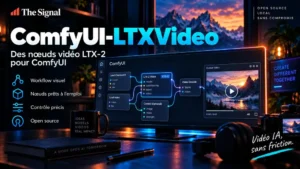
For workflow users, the practical advantage is the strong ComfyUI integration. See ComfyUI-LTXVideo for the current LTX-2 node ecosystem.
Why ComfyUI matters for open video generation
Video generation pipelines are usually more complex than image-generation pipelines. A practical graph may include:
- prompt or image conditioning;
- model loading;
- camera or motion controls;
- keyframes;
- LoRA or control models;
- sampling;
- latent decoding;
- frame interpolation;
- upscaling;
- audio generation or dubbing;
- final video encoding.
ComfyUI makes these stages visible and reusable. That is why many open video projects either ship official ComfyUI workflows or are quickly integrated by the community.
For a broader explanation, see ComfyUI: What It Is, How It Works, and Why It Matters for Generative AI and the planned ComfyUI Video Workflows guide.
Hardware requirements
Video generation is significantly more demanding than most image-generation workloads. VRAM use depends on model size, precision, resolution, number of frames, attention implementation and whether parts of the model can be offloaded to system RAM.
Some newer models are explicitly designed to reduce the barrier to entry. HunyuanVideo-1.5, for example, is positioned as a lightweight 8.3B model for consumer-grade GPUs. LTX-Video also supports performance-oriented options such as lower-precision variants and CPU offloading in parts of its ecosystem.
However, “runs on consumer hardware” does not automatically mean “runs fast on every GPU.” Always check the exact checkpoint, precision and target resolution before planning a workflow.
What to compare between AI video models
A practical comparison should include more than benchmark claims. Evaluate:
- Prompt adherence — does the model follow subject, motion and camera instructions?
- Temporal consistency — do identity, geometry and textures remain stable over time?
- Motion quality — are movements coherent and physically plausible?
- Resolution and duration — what can be generated natively?
- Image-to-video control — how well does it preserve the source frame?
- Camera control — can movement be directed predictably?
- Hardware efficiency — VRAM, speed and offloading options.
- Workflow support — ComfyUI, Diffusers, CLI or API support.
- Fine-tuning — LoRA, control models or full training availability.
- License — commercial use, redistribution and model-weight terms.
Best model for local experimentation
There is no single best open video model for every machine. The right choice depends on the hardware and the type of output you need.
A user who wants a mature research toolbox may prefer VideoCrafter. A user focused on newer lightweight text-to-video and image-to-video generation may evaluate HunyuanVideo-1.5. A ComfyUI-heavy workflow with control LoRAs and synchronized audio/video may make LTX-2 more attractive.
The important point is to choose the model together with its runtime and workflow ecosystem rather than selecting from output samples alone.
Local generation vs hosted APIs
Running video models locally gives more control over data, checkpoints, versions and custom workflows. It can also reduce per-generation API costs once the hardware is available.
Hosted APIs are easier to scale and avoid the cost of maintaining high-memory GPUs. Many teams therefore use a hybrid strategy: local workflows for testing, private assets and development, then hosted inference for peak capacity or production scaling.
Licensing and commercial use
“Open” does not guarantee unrestricted commercial use. Code and model weights may be under different licenses, and some projects place separate conditions on training assets or redistributed checkpoints.
Before using a model commercially, verify:
- the repository license;
- the model-weight license;
- commercial-use terms;
- redistribution rules;
- attribution requirements;
- licenses of required third-party components.
How The Signal will test open AI video models
Our future video-model profiles will focus on reproducible, implementation-level criteria:
- official repository and documentation;
- checkpoint availability;
- license status;
- minimum practical hardware;
- supported generation modes;
- official or community ComfyUI workflows;
- Diffusers or API integration;
- fine-tuning and control options;
- maintenance activity.
This makes the comparison useful for people who want to actually run the model, not just watch a curated demo reel.
Related The Signal profiles
- VideoCrafter: Tencent AI Lab’s Open Text- and Image-to-Video Toolbox
- HunyuanVideo-1.5: Tencent’s 8.3B Open Video Generation Model
- ComfyUI-LTXVideo: Lightricks’ Extra Nodes for LTX-2 Video
- DramaClaw: A Self-Hosted Pipeline From Script to AI Short Drama