Updated October 29, 2026. This is a documentation-verified installation guide for NVIDIA Nemotron 3.5 Transcribe, released October 28, 2026. We have not run the model or measured its accuracy, memory use or speed.
What is Nemotron 3.5 Transcribe?
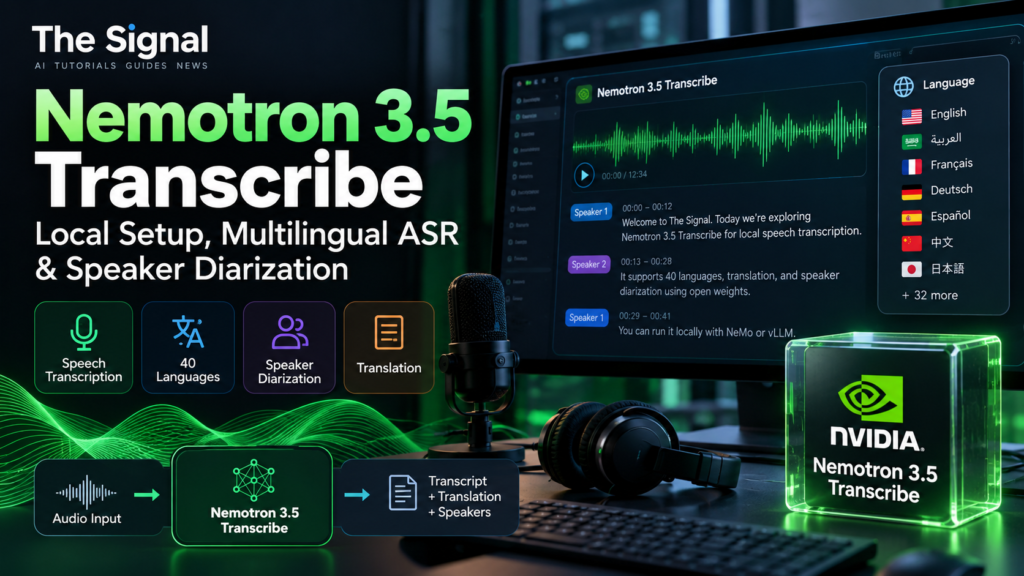
NVIDIA Nemotron 3.5 Transcribe is an open-weight offline speech-augmented language model for transcription, translation, language identification, speaker-attributed text and audio question answering. It supports 40 languages and recordings up to one hour under the documented configuration. Its mixture-of-experts architecture has approximately 34 billion parameters in total and 4.3 billion active, including the audio encoder. 4.3B active does not mean the model occupies the memory of a 4.3B dense model.
Hardware and deployment reality
NVIDIA’s reference BF16 setup uses one H100 80GB with vLLM 0.32.0 and the current NeMo Speech repository. The official model card also lists FP8, NVFP4 and GGUF variants with different GPU and runtime compatibility. NVFP4 targets supported Blackwell hardware; do not assume it works on older RTX cards. A small consumer GPU is not a verified target for the BF16 recipe. Linux is the documented server path; Windows users can consult NVIDIA’s WSL2 compatibility notes.
Step 1: Prepare the documented environment
Use an appropriate NVIDIA GPU and Linux environment, install git, uv and the Hugging Face CLI, then follow the official model card’s Environment Setup. NVIDIA currently specifies Python 3.13, vLLM 0.32.0 and the latest NeMo Speech main branch. The documented commands begin as follows:
git clone https://github.com/NVIDIA-NeMo/Speech.git nemo-speech
cd nemo-speech
uv venv --python 3.13 .venv
UV_PROJECT_ENVIRONMENT=$PWD/.venv uv sync --extra asr --extra vllm --locked --no-install-project
uv pip install --python .venv/bin/python --no-deps -e .
uv pip install --python .venv/bin/python --no-deps av==19.0.2
uv pip install --python .venv/bin/python --no-deps opencv-python-headless==5.0.0.93
source .venv/bin/activate
hf download nvidia/NVIDIA-Nemotron-3.5-Transcribe-30B-A4B --local-dir ./NVIDIA-Nemotron-3.5-Transcribe-30B-A4B
Important: these are transcribed from NVIDIA’s published setup, not commands executed by The Signal. Check the live model card for updated versions and dependencies before installation.
Step 2: Start the inference server
NVIDIA documents an OpenAI-compatible vllm serve configuration, including the nemo_speechlm plugin, audio limits, Mamba backend and optional speculative decoding. Copy the complete current server command from the official model card rather than starting a generic vLLM server: omitting its model-specific flags can prevent audio processing or word timestamps. In particular, the published setup sets VLLM_PLUGINS=nemo_speechlm, VLLM_MAX_AUDIO_DECODE_DURATION_S=3600 for hour-long recordings, and VLLM_USE_V2_MODEL_RUNNER=0 for word timestamps. The default local endpoint is 127.0.0.1:8000. Do not expose it publicly without authentication and network controls.
Step 3: Transcription, diarization and translation
Use the model card’s official inference examples to submit an audio file and a natural-language instruction. Tasks include verbatim transcription, cleaned written-form output, speaker labels, translation into supported languages and contextual vocabulary hints. For a meeting, try the instruction “Transcribe this recording and label each speaker.” For multilingual audio, use “Translate this audio into English.” The model is offline/batch, not a verified live-streaming speech recognizer. The speaker and word-timestamp options depend on the documented runtime and flags; do not assume every third-party integration supports all tasks.
Step 4: Validate your own result
- Use an audio clip for which you have a manually checked reference transcript and consent to process.
- Record the checkpoint variant, GPU, runtime version, audio duration and language.
- Compare named entities, speaker changes and translated meaning; calculate WER only against a comparable reference transcript.
- Repeat on longer recordings, and check for truncation or repetition. A successful HTTP response alone does not prove the transcript is complete.
Nemotron vs Granite Speech 5.0 and Whisper
Nemotron emphasizes prompt-controlled transcription, speaker attribution and multilingual tasks, but its documented BF16 server target is much larger than the 2B IBM Granite Speech 5.0 model discussed in our local setup tutorial. Whisper provides an established family of speech recognition models with different deployment choices. Choose based on actual supported tasks, available GPU memory, license and a controlled test on your audio. NVIDIA’s leaderboard numbers are vendor-reported results on specified benchmarks, not a head-to-head test conducted by this publication.
Licensing and safety
The weights use OpenMDW-1.1, not Apache-2.0. Check distribution obligations, third-party notices and applicable privacy requirements before deploying customer-call transcription. Open-weight availability is not equivalent to a zero-cost GPU deployment.
Official sources
- NVIDIA research announcement and technical report (October 28, 2026)
- Official model card, supported hardware and current setup commands
- NeMo Speech source and tooling
- NVIDIA technical overview and reported evaluations
Editorial disclosure: this tutorial is based on official documentation. No hands-on deployment, transcript output, GPU benchmark or comparative quality test has been performed for this article.